Connect databases and files, ask in natural language to get SQL, charts, and insights; turn frequent questions into scheduled jobs pushed on time to Lark / DingTalk / WeCom.
 Desktop · macOS (Apple Silicon)Direct local file & database access, data stays on your machine
Desktop · macOS (Intel)Direct local file & database access, data stays on your machine
Desktop · Windows (x64)Direct local file & database access, data stays on your machine
Blocked as “damaged” or “unverified” on first open?See the one-time unlock steps
Desktop · macOS (Apple Silicon)Direct local file & database access, data stays on your machine
Desktop · macOS (Intel)Direct local file & database access, data stays on your machine
Desktop · Windows (x64)Direct local file & database access, data stays on your machine
Blocked as “damaged” or “unverified” on first open?See the one-time unlock steps
DataFinder is built for the “ad-hoc but frequent” data questions — the ones not worth a dashboard, yet asked every day.
Everyday questions from ops and product answered directly by the Agent.
Ask a follow-up like replying to a message; the Agent rewrites the SQL.
Scheduled monitoring lands results in your IM group. Failures alert.
Add a database connection or upload CSV / Excel; schema and samples are read automatically.
Attach datasets to a Space and write down table relations, metric definitions, and field meanings.
Ask in natural language and see the SQL, tables, and charts. Off? Just ask a follow-up.
Charts, tables, and business narrative in one click. Export or push to IM groups on cron.
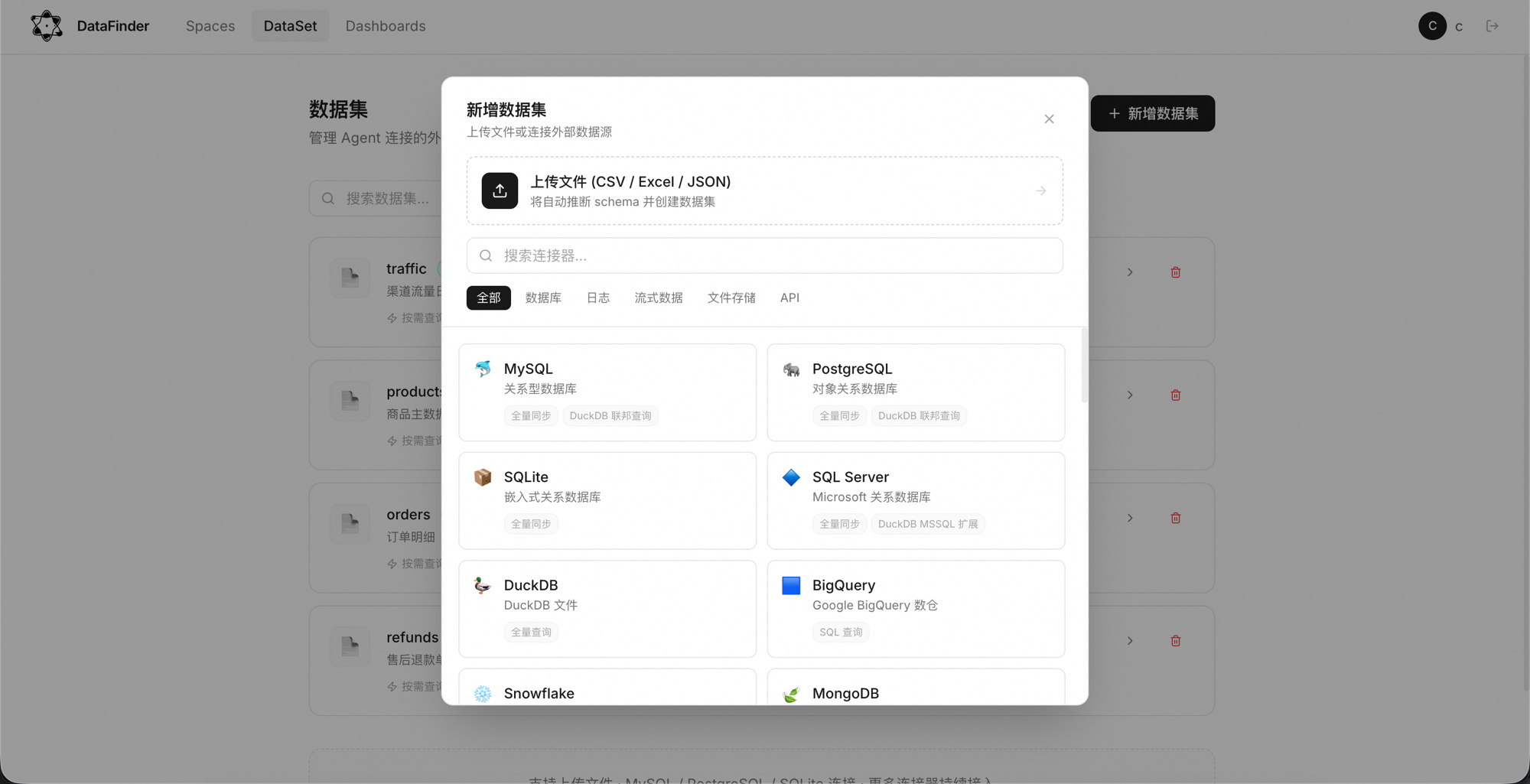
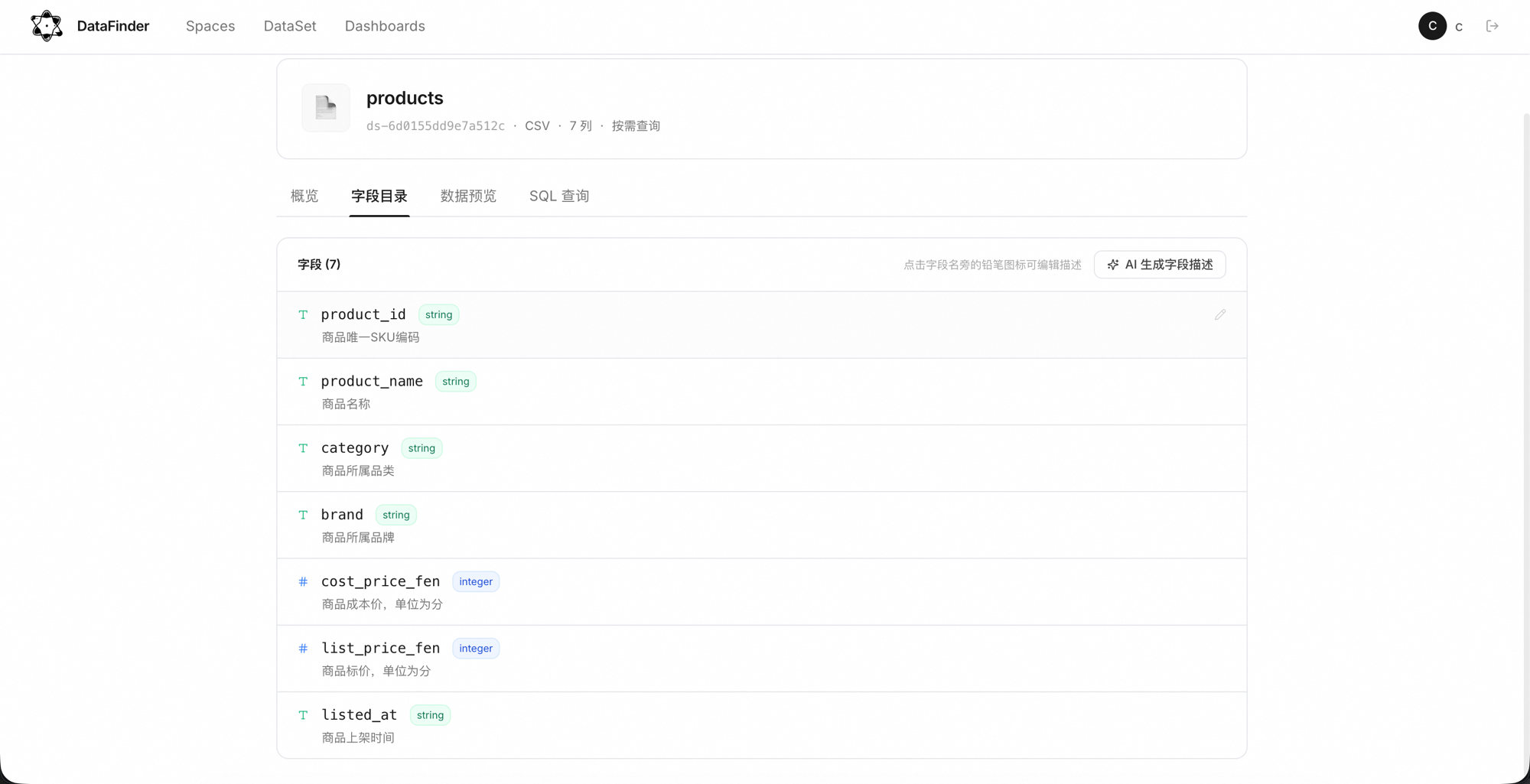
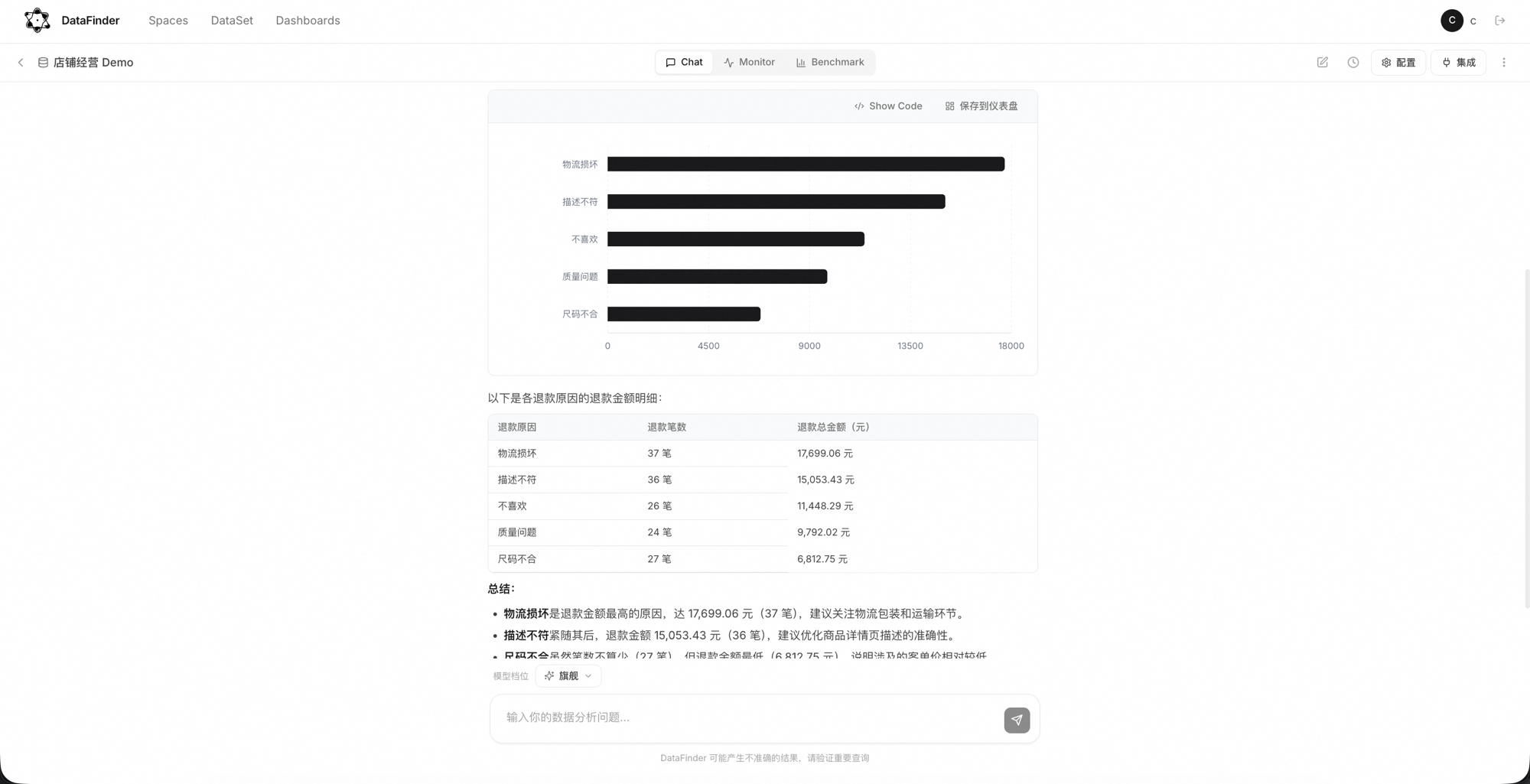
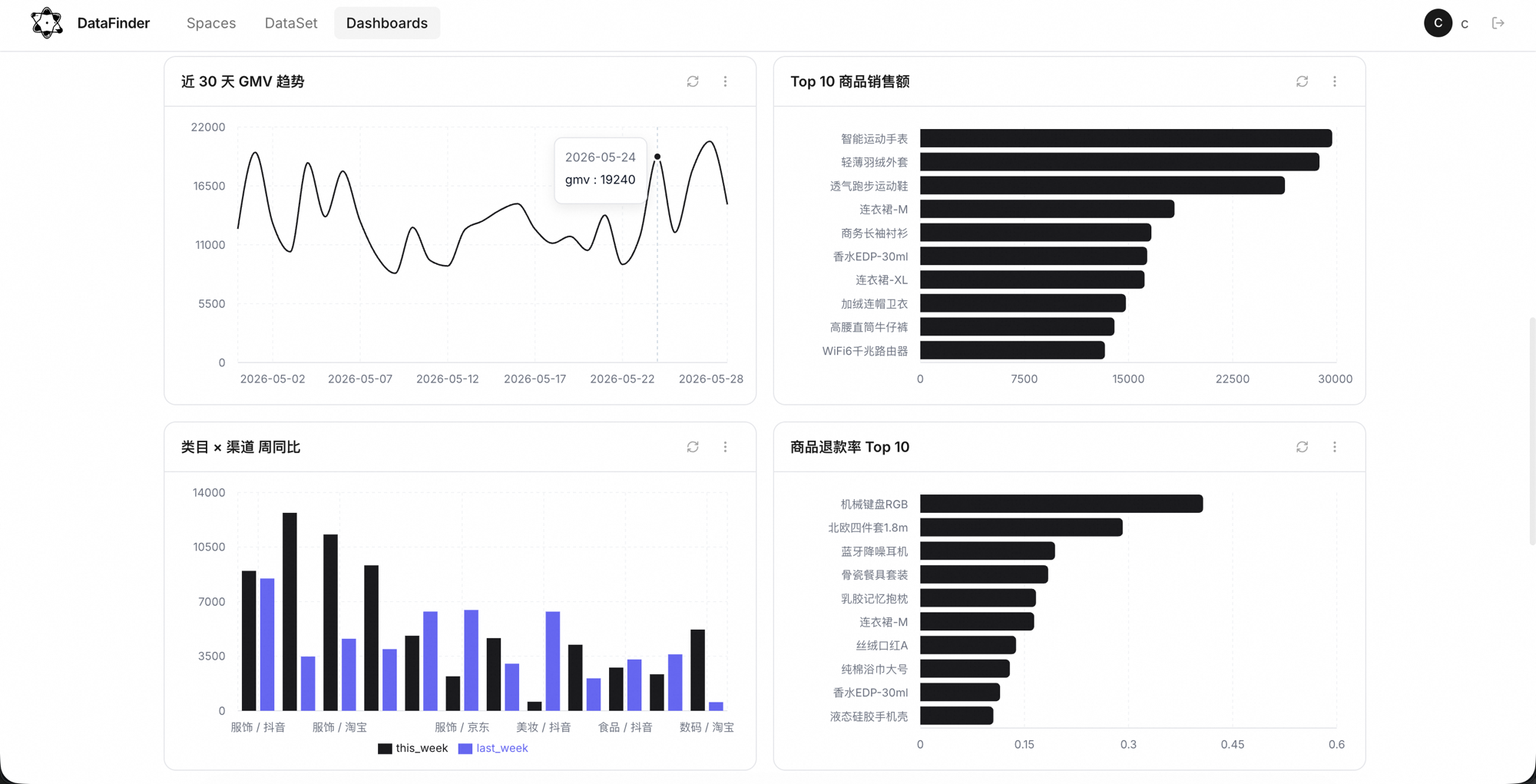
One-click database connections, direct file upload. All secrets Fernet-encrypted.
The Agent reads your schema and business notes, turning them into executable SQL.
Picks the right chart from the result and question — no dragging, no type-picking.
Run metric batches at any frequency with cron; detailed errors logged on failure.
@Bot to ask in a group; scheduled results pushed to report, on-call, and ops groups.
Maintain business Q&A pairs, batch-evaluate SQL accuracy, and compare across iterations.
Turn daily GMV, DAU, and conversion funnels into scheduled jobs pushed to your group.
Automate frequent business questions so the data team focuses on complex analysis.
Self-serve event tracking, error rates, and key-metric monitoring.
Data-source coverage, IM channels, security and observability — set up once, self-hosting optional.
Federated execution via DuckDB — cross-source joins in one pass.
All IM secrets stored encrypted; test the connection with one click.
Flagship / Standard / Lite tiered routing; auto-switch along the chain when the primary model fails.
Per-call tokens, latency, model, and estimated cost are all visible; quotas at a glance.
Space-level data isolation; cross-user access strictly 404s — safe for internal deployment.
FastAPI + SQLAlchemy backend, React frontend; self-hosting supported.
The free quota covers everyday use; anything beyond is charged from your balance by actual token usage.
Try every tier, no card required. Decide whether to top up after the quota runs out.
Light and fast, for quick queries.
Smart and efficient, for everyday tasks.
Complex analysis and deep reports.
No. BI suits long-lived dashboards; DataFinder solves ad-hoc but frequent questions. They complement each other.
Only the schema, field descriptions, and your question reach the LLM — raw data rows are never sent externally.
Mainstream relational databases, warehouses, lake formats, files and streams, and object storage. Multiple datasets can join in one Space.
Write instructions in a Space, use Benchmark to score SQL accuracy, and ask a follow-up when an answer is wrong.
Yes. FastAPI + SQLAlchemy backend, Vite + React frontend — it runs on your own servers. For self-hosting and enterprise plans, contact {email}.
Sign up → connect data → create a Space. Your team is up and running the same day, in 5 minutes.
